NinjaVan Tracking Number: How to Track and Troubleshoot Your Tracking Number
Waiting for an important e-commerce parcel can be stressful, especially when delivery updates seem delayed or confusing. Having your NinjaVan tracking number on hand helps you stay informed every step of the way. As one of Southeast Asia’s largest tech-enabled logistics networks, Ninja Van processes millions of shipments daily across Singapore, Malaysia, the Philippines, Indonesia, Thailand, and Vietnam.
Whether you are tracking an online order from Shopee, Lazada, TikTok Shop, or an independent merchant, this comprehensive guide covers everything you need to know about your NinjaVan tracking number, tracking methods, status updates, and practical troubleshooting steps.
What Is a Ninja Van Tracking Number?
A NinjaVan tracking number (also referred to as a Tracking ID) is a unique alphanumeric identifier assigned to a package once a shipping label is generated. It serves as the digital passport for your shipment, recording every scan from the merchant’s warehouse through regional sorting hubs to your doorstep.
Format of a Ninja Van Tracking ID
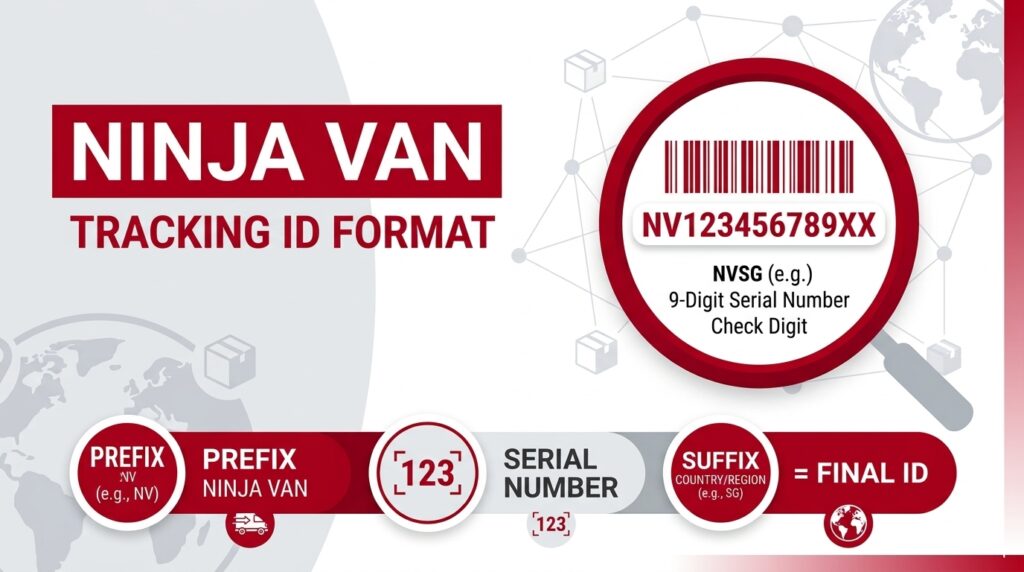
NinjaVan tracking number IDs typically range between 10 and 20 characters and vary depending on the country of origin and the e-commerce platform. These are the same IDs you would enter into the NinjaVan tracking app to monitor your shipment. Common formats include:
Prefix-Based Identifiers
Often begin with country or regional codes such as NVSG..., NVPH..., NVMY..., NVID..., or NVTH...
Platform-Specific Codes
Sequences generated via marketplace partnerships (e.g., SHP... for Shopee or alphanumeric strings for TikTok Shop).
Numeric & Alphanumeric Strings
Universal barcode numbers formatted like SPEPH1234567890 or 100012345678.
Where to Find Your Ninja Van Tracking Number
If you are expecting a parcel but cannot locate your tracking details, check these standard channels:
How to Track Your Ninja Van Parcel
Method 1: Official Ninja Van Tracking Portal
Visit your local Ninja Van website. Locate the Track Order / Tracking field on the homepage, paste or type your Tracking ID (ensure no accidental spaces), and click Track Parcel to view real-time transit logs and estimated delivery dates.
Method 2: NinjaChat (Automated Support Bot)
NinjaChat is an automated messaging assistant accessible across Telegram, WhatsApp, Facebook Messenger, and Line. Simply access the widget on the official site, enter your tracking ID when prompted, and receive automated tracking milestones or request a delivery rescheduling directly in chat.
Method 3: Multi-Carrier Tracking Aggregators
If you manage parcels across multiple couriers, third-party aggregators (such as ParcelsApp, 17Track, or AfterShip) automatically recognize Ninja Van tracking numbers and provide combined tracking updates.
Common Tracking Issues and How to Solve Them
“Tracking Number Not Found” / “Invalid ID”
Solution: Check for typographical errors or leading/trailing spaces. If the seller just fulfilled your order, allow 12 to 24 hours for the initial physical scan to register in the Ninja Van system.
Parcel Stuck on “Order Created”
Solution: This status means Ninja Van has not physically received the parcel yet. The seller printed the label but hasn’t handed over the item. Contact the seller directly to inquire about physical dispatch.
“Delivery Attempt Failed” When You Were Home
Solution: Check your SMS for a rescheduling link. Ninja Van allows up to 3 delivery attempts. Use NinjaChat to provide specific gate codes, landmarks, or drop-off instructions.
Status Shows “Delivered” but No Package
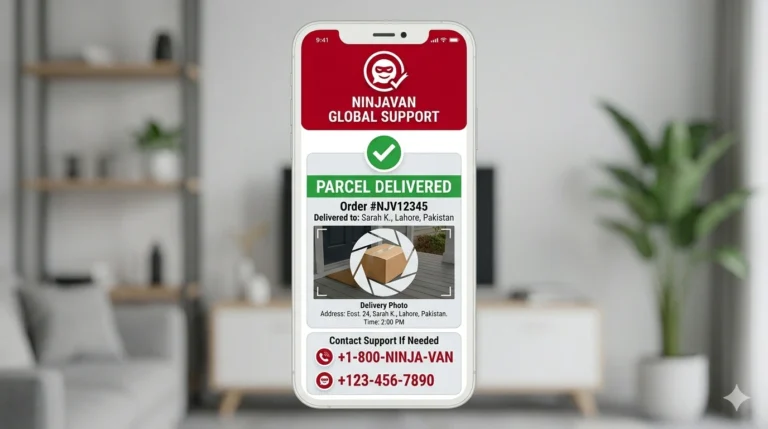
Solution: Check standard drop-off spots (porch, riser cabinet, security guardhouse, neighbors). Request Proof of Delivery (POD) via the tracking portal to inspect driver photo evidence and signature.
FAQs
Conclusion
A NinjaVan tracking number is your direct line of visibility into the entire delivery lifecycle, turning potential delivery anxiety into a transparent, manageable experience. By understanding how to locate your tracking ID, decode status updates, and leverage tools like the official portal or NinjaChat, you can proactively resolve delays, reschedule drop-offs, and ensure your orders arrive safely. Whenever unexpected delivery issues arise, keeping your tracking number ready will always be the fastest way to get accurate support and secure your parcel.